DJ who produces, how to integrate your DJ setup with your DAW
The best dance music producer isn’t the one who only mixes other people’s tracks, nor the one who only produces alone. It’s the one who does both and makes them complement each other
The line between DJ and producer blurred long ago. Today, the best exponents of dance music—house, techno, drum and bass, Afrobeats, and electronic music in general—are both DJs and producers. But integrating the DJ workflow (cues, loops, live mixing) with the producer workflow (DAW, plugins, composition) is no easy feat. This post gives you concrete strategies to make the two worlds complement each other.
The DJ Controller as a Production Tool
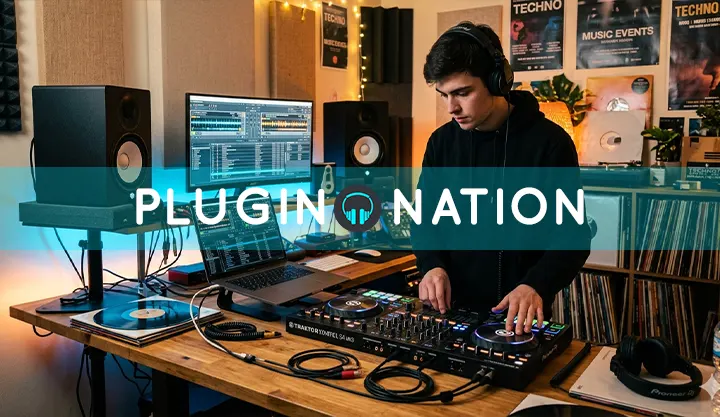
Most modern DJ controllers send MIDI and can be mapped directly to your DAW. The jog wheels can control synthesis or effects parameters. The faders become automation lanes. The sampling pads (if your controller has them) become a pad controller for triggering samples and clips. You don’t need a separate production setup from your DJ setup—just good MIDI mapping.
Recording Ideas from the Set: From Jam to Track
One of the richest sources of ideas for production is the DJ set itself. A loop that works well on the track, a transition that generates unexpected energy, a combination of two tracks that creates a third piece of music—all of these can be the seed of your own track. The solution is simple: record the output of your mixer or controller directly into your DAW while you practice or perform. Then analyze the recording and extract the moments that work.
🎛 Sequencer and effects plugins for DJ-producers
- Free VST sequencers — for creating rhythmic and melodic patterns that you can integrate into both your DAW and live performances
- Free VST chorus and modulation — classic DJ mixing effects applied as plugins within your production
- Free VST delays — to replicate in your DAW the kind of processing you do live with your mixer.
Ableton Live: The Natural Intersection of DJing and Production
Ableton Live is the DAW that best understands this crossover. Its Session View—a grid of clips you can launch in any order—replicates the logic of a DJ set but within a complete production environment. You can start with external sample loops, add layers of real-time synthesis, record your improvisations as MIDI or audio, and then switch to Arrangement View to compose and refine the entire track. It’s the workflow used by producers like Four Tet, Caribou, and Jamie xx.
PRO TIP
- If you use Serato or Rekordbox, you can export a track’s stems directly to your DAW and use them as source material for production. Separate the kick, bass, synths—and you have a reference base to build your own track with the energy of music you already know works on the dance floor.
BPM and Key: The Common Language
DJs work with BPM and key constantly and intuitively. Producers do too—but sometimes lose track of them when deep in the creative process. Keeping your project’s BPM aligned with the BPM of the reference tracks you use in your set ensures that what you produce will work well mixed with the rest of your music. Key detection tools (Camelot system, Mixed In Key) are just as useful in the studio as they are in the DJ booth.
Custom Sampling as a Sonic Identity
The most recognizable DJ-producers have a very clear sonic identity. A large part of that identity comes from using their own samples—field recordings, fragments of their own sets, syntheses they designed themselves. Recording sounds from the world with your phone, processing them with boosters and saturators, and turning them into production samples is one of the most direct paths to developing your own sound.
The DJ and the producer are the same person seen from two different perspectives. Integrating both workflows not only makes your music better—it makes your sets more original and your artistic identity stronger. Plugin Nation‘s collection of free plugins gives you all the tools you need to build that bridge without spending a penny.